
Overview
Service Desk turns customer email and form submissions into DevStride work items your team can triage, answer, and track. What it is, the five ideas behind it, and where to start.
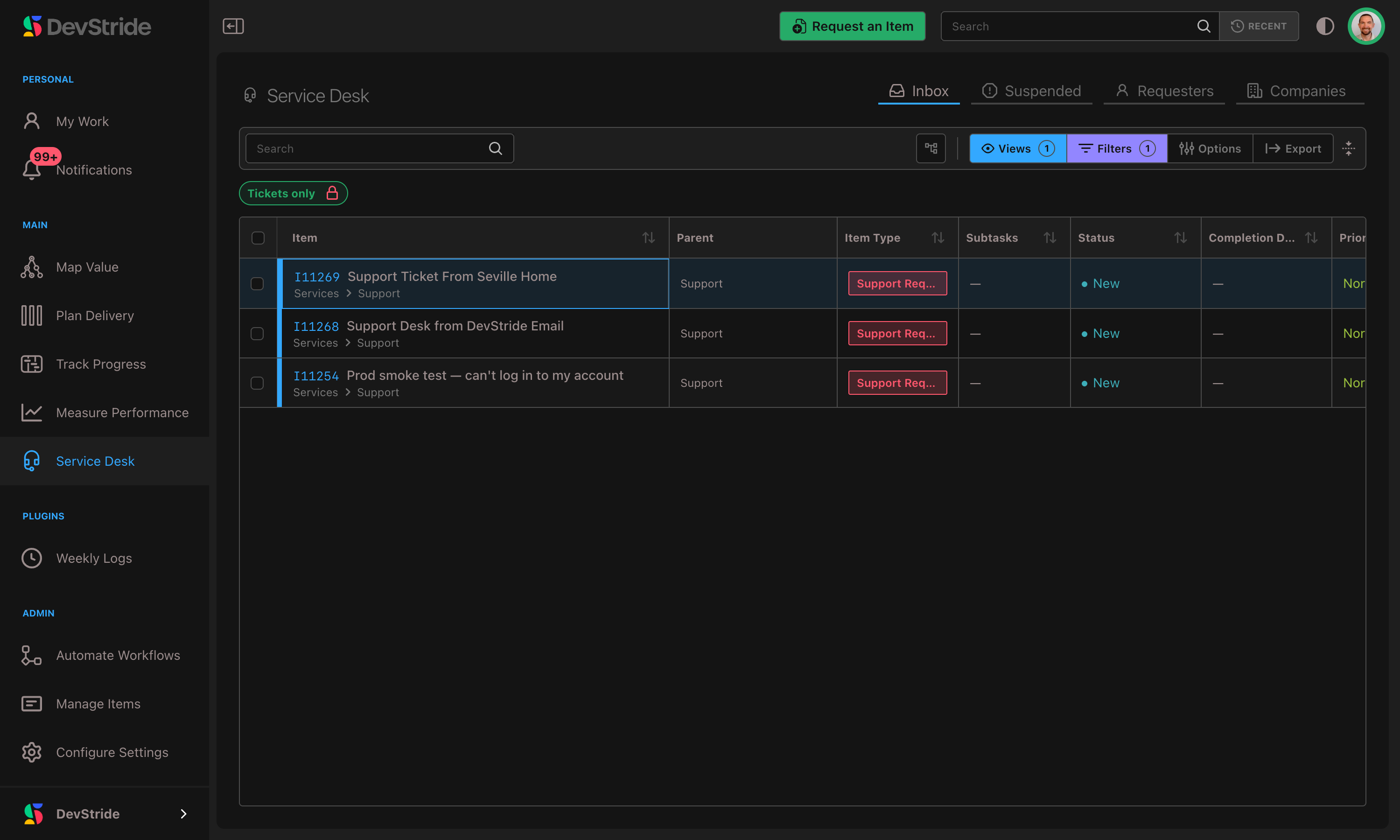
Service Desk lets your team receive support requests from customers, reply to them, and track every conversation as ordinary DevStride work. An email arrives at your support address, it becomes a ticket, your team triages it, replies, and closes it out, with the whole back-and-forth captured on the item.
You'll find it as the Service Desk module (the headset icon) in the left sidebar once it's turned on.
Service Desk is off until you turn it on
Service Desk is an opt-in module. An administrator enables it once for your organization before the module and its settings appear. See Enabling Service Desk.
Why it exists#
Support work and product work usually live in two tools: a help desk for customer email and a tracker for what the team builds. Tickets get copied back and forth, context is lost, and customers are answered from a system that has no idea what the team is working on.
In DevStride a support ticket is a work item. A customer request sits next to the engineering work it depends on, rolls up into the same boards and reports, and is assigned, prioritized, and scheduled like anything else.
The five ideas#
| Concept | What it means |
|---|---|
| A ticket is a work item | A ticket is a normal item that has a requester. Boards, owners, priorities, custom fields, due dates all apply. |
| Requester | The person who raised the request. Anyone who writes to your support address becomes the requester of the ticket it opens, including someone on your own team, unless a team member opens the ticket for a client. A requester is a contact record, not a membership: no role, no workspace sign-in, and never a paid seat. |
| Company | An optional grouping of requesters from the same customer organization, matched by email domain. Companies carry per-customer defaults and own the customer portal. |
| Channel | How a request arrived: Email, Portal (a form submitted in the customer portal), or API (a staff-created or converted item). Tickets can be filtered, grouped, and SLA-matched by channel. |
| Reply to customer vs. Internal note | Every ticket carries one conversation with two kinds of entry. A Reply to customer is emailed to the requester; an Internal note is visible only to your team. The line is enforced everywhere. |
The one rule to remember
A comment is either a Reply to customer (the requester sees it) or an Internal note (only your team sees it). Get that right and you can work any ticket confidently.
What Service Desk does#
- Receives email as tickets, filed where you choose, with replies threaded onto the same ticket. A customer email a colleague forwards in is credited to the customer, not the colleague, when that colleague may open tickets for clients.
- Lets your team open a ticket for a client, from the Inbox's New ticket button or by emailing the desk with the client copied, and tell the client a request was opened for them.
- Collects requests through forms, from a public link or inside the portal.
- Keeps the conversation and your notes together: public replies go out by email; internal notes never leave DevStride.
- Manages requesters and companies, including blocking, merging duplicates, and erasing a requester on request.
- Holds suspicious mail on a Held for review tab and records every email that didn't become a ticket on Rejected mail.
- Gives customers a branded self-service portal with passwordless sign-in, where a Home page shows what is waiting on them and they track requests, reply, submit new ones, work on specs, read your Help center, and see lists you share with them.
- Tracks response-time promises with SLAs that count only your business hours.
- Acts on elapsed time with time-based automations: auto-close solved tickets, escalate unanswered ones, nudge quiet customers.
- Reports on volume, response and resolution times, SLA attainment, agent activity, and first-contact resolution.
In this section#
- Enabling Service Desk — turn the module on and off, and what each does.
- Email Channels & Setup — create a support address, forward your inbox to it, and understand how mail becomes tickets.
- Sending from Your Own Domain — send customer email from an address on your own domain instead of the shared one.
- Requesters & Companies — manage customer identities and per-company defaults.
- Customer Support Portal — what customers see and how to brand and control access to it.
- Working a Ticket — triage, open tickets for clients, reply, keep notes, change requesters, merge duplicates.
- Client Reviews — send finished work to a client for sign-off in their portal.
- Request Forms — collect structured requests through a form.
- Held for Review and Rejected Mail — review held mail and see what was turned away.
- Finding & Filtering Tickets — query support work anywhere in the app.
- Service Level Agreements (SLA) — schedules, policies, the at-risk view.
- Time-Based Ticket Automations — the Ticket Time Sweep trigger and business hours.
- Headless Mode and Customer Switches — let your own tools talk to customers, and close the portal or help centre.
- Permissions — who can do what.
- Reports — the six built-in support reports.
Related: the Knowledge Base feeds the portal's Help center and suggests articles while a customer types a request.