
Admin Onboarding - Item Workspace -Right Bar: Best Practice time estimates
Step 7g of admin onboarding — estimate parents as well as children so DevStride can warn you when the children's estimates outgrow the parent's size.
On this page
Estimating only at the Task level tells you how long each Task takes. Estimating the parent too, as a rough size, lets DevStride compare the two and warn you the moment a Capability's Tasks add up to more than a Capability of that size should take. It is the cheapest early-warning system you can set up.
How to set it up#
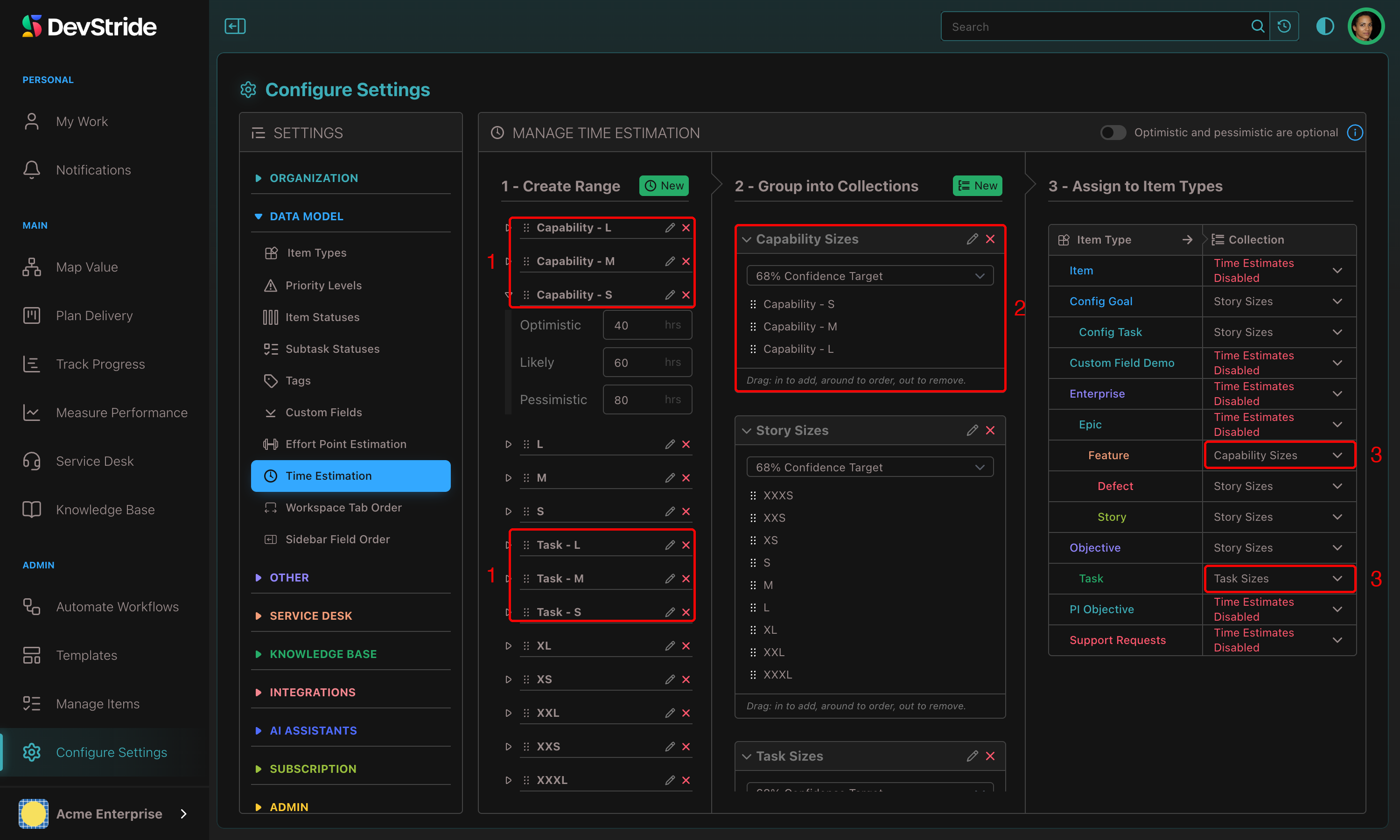
- In Time Estimation, create ranges for your bottom-level type as usual (XXS to XL Tasks, in hours).
- Create a second set of ranges for the level above, sized in the same units but larger (Small Capability = 40 / 60 / 80 hours, and so on). Repeat for higher levels if you want.
- Put each set in its own collection, named for the type, and assign each collection to its type.
What you see#
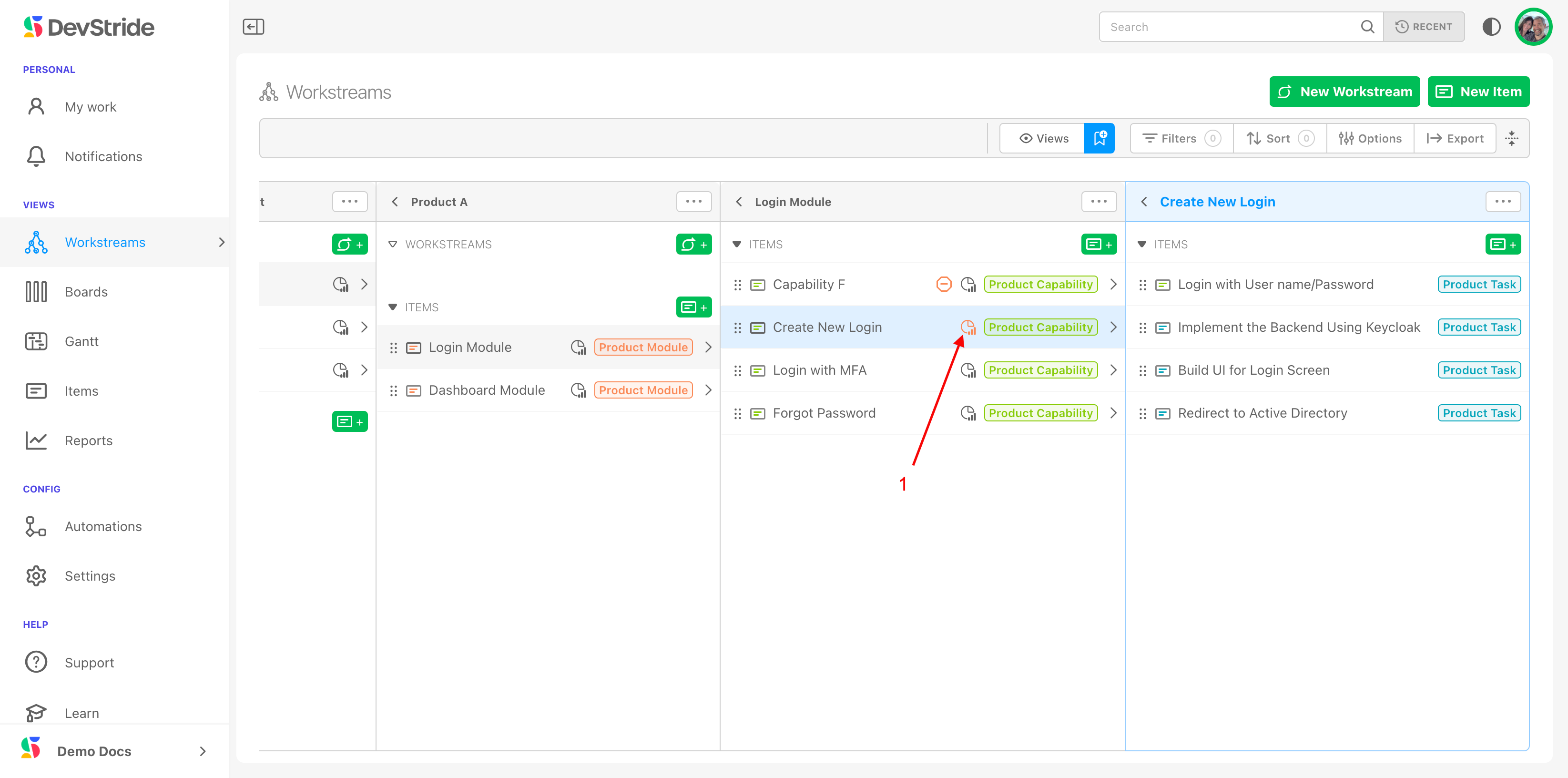
Give each Capability a size when you create it, then estimate its Tasks as they are defined. When the Tasks' estimates exceed the Capability's own estimate, the Capability shows an orange warning icon, on the item, in the Map, on boards, and on Gantts.
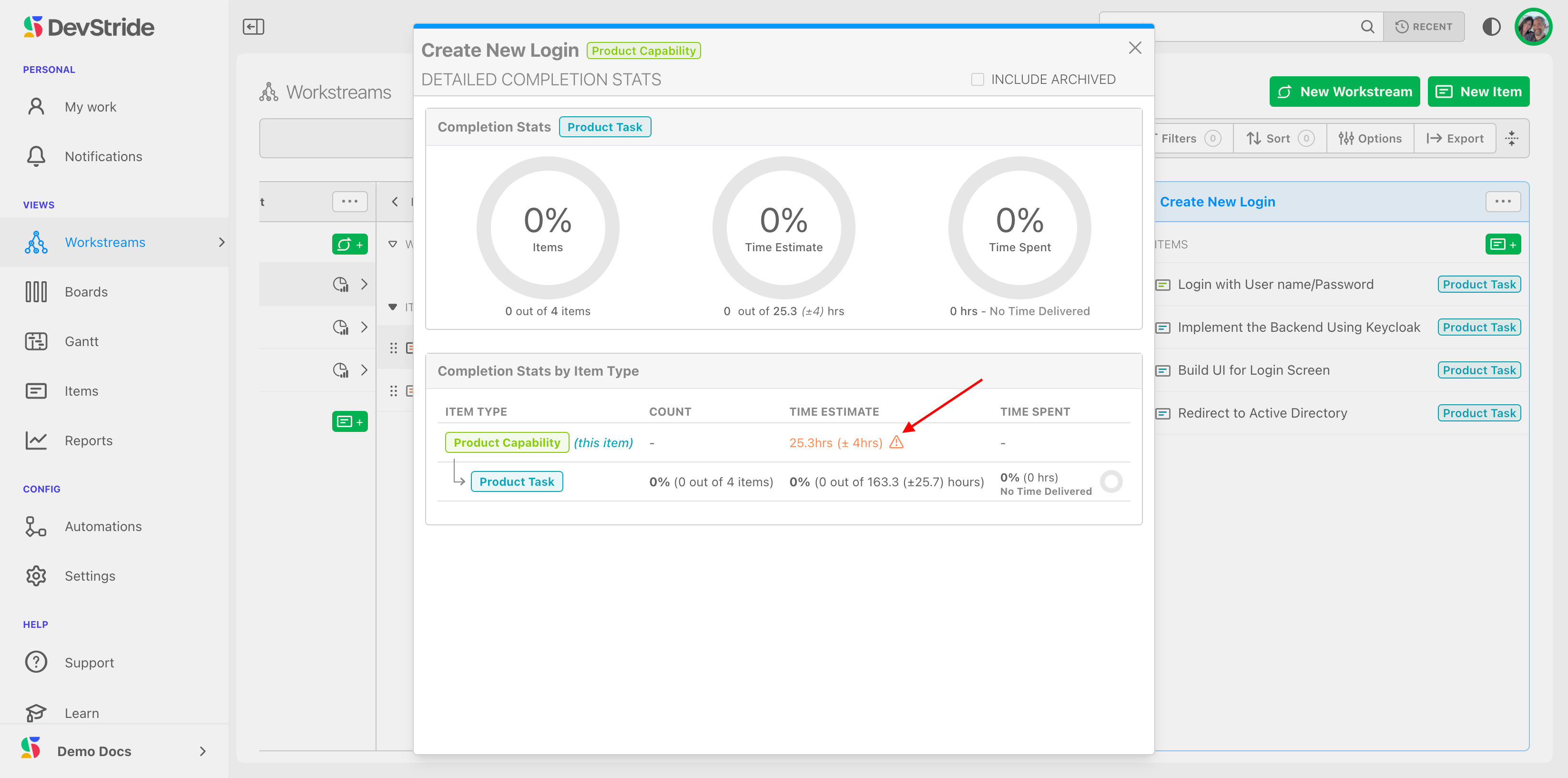
Click the icon for the completion stats and the detail of the overage.
The takeaway
Decompose work into small estimated pieces that roll up into sized buckets. The buckets catch scope growth while there is still time to do something about it, and over a few cycles your sizes get calibrated against reality.
Next: Time Spent.