
Admin Onboarding: Understanding Workstreams
Step 5a of admin onboarding — what a workstream is, how core and nested workstreams organize the Map Value module, and the two-level rule of thumb before you create any.
A workstream is a container in the Map Value module for a stream of value: a product, an initiative, a client, a function. It has no start or end date; it is where work lives, not when it happens. Items are created inside workstreams, and the item hierarchy (Epic → Story → Task) nests beneath them.
Think of core workstreams as the top-level folders of a filing system and nested workstreams as sub-folders. Items are the documents. You can have as many of each as you like, but the folders are just organization; the items are the data.
The what, not the who or when
When you create workstreams and items you are only defining what the work is. Who does it and when they do it are added later, on boards. If you find yourself wanting a "QA Team" workstream, that is a board folder, not a workstream.
Why this step comes now#
Workstreams are the addresses your item types, boards, forms, and reports all point at. Creating them first, even roughly, gives every later step a place to put things. They are also cheap to change: dragging a nested workstream under a different core workstream moves all its items with it, so you are not committing to anything permanent.
Two levels, usually#
Keep to two levels of workstream where you can: a core workstream (Product Development) and nested workstreams beneath it (Product A, Product B). Deeper trees bury work and make the map harder to scan. Depth belongs in the item hierarchy, which is what reports roll up by.
Where to find them#
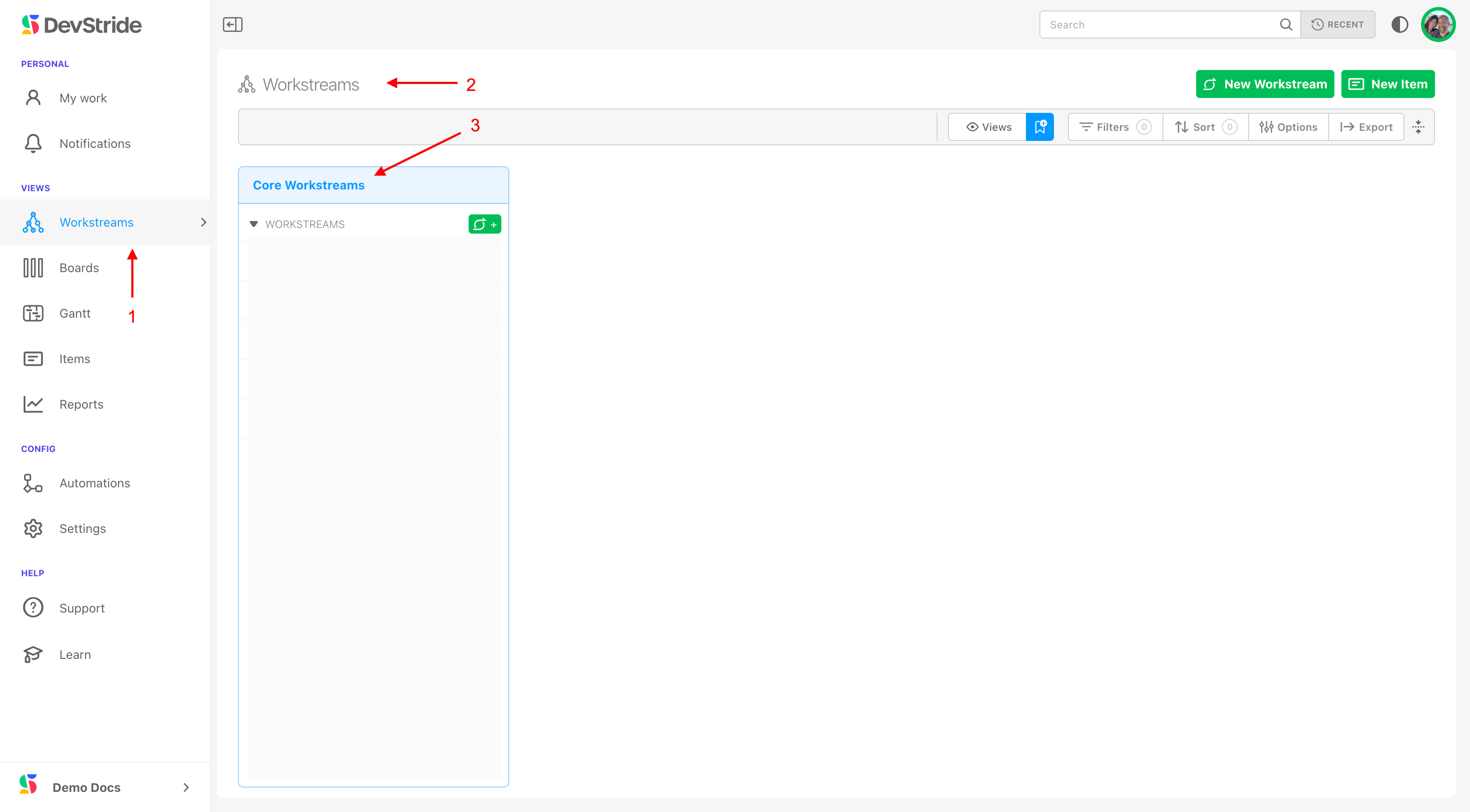
Open Map Value (1) in the left navigation. The leftmost column lists your core workstreams (2); selecting one opens its contents in the next column (3), and so on across the map. Each column has its own ⋯ menu for exporting, importing templates, and permissions.
What you get in return#
Because every item sits under a workstream, you can report at any point in the tree: progress, estimates, time spent, and defects for Product A, for all of Product Development, or across the whole organization. The same items, viewed by team, appear on boards; viewed by value, they appear here.
Next: Setting up your item type hierarchy, then come back to populate the workstreams. Day-to-day Map features (filters, bulk edit, quick add) are on Using the Map.