
Admin Onboarding - Setting Up Workflow Statuses
Step 8a of admin onboarding — statuses are the columns of your boards; learn why New and Done are fixed, how collections let different teams have different workflows, and how to pick the stages in between.
On this page
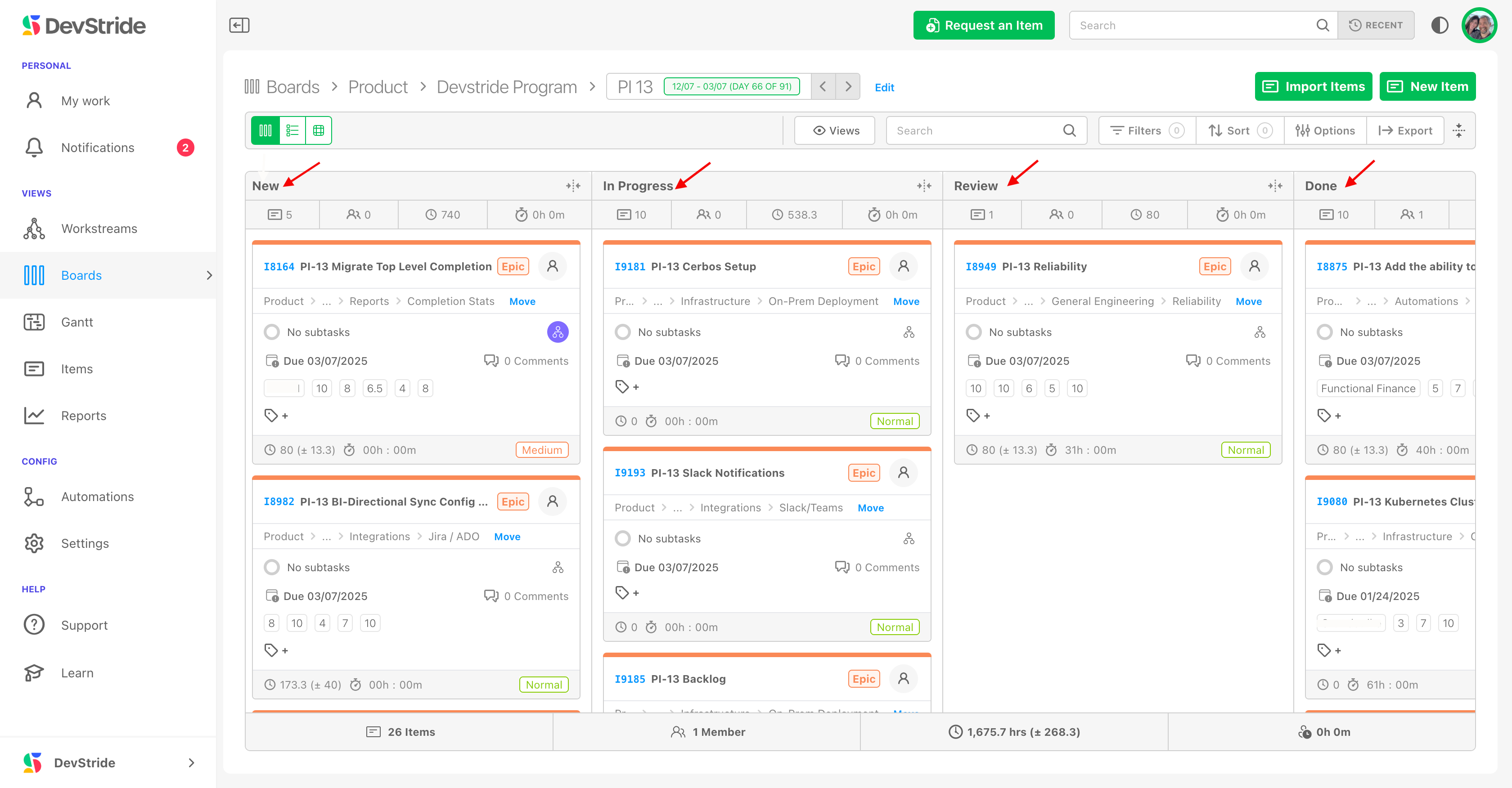
A status is a stage in an item's life: New, In Progress, Review, Done. On a board, statuses are the columns, and moving a card moves the item through its workflow. Statuses come after the item tour and before boards because a board cannot exist without a status collection to draw its columns from.
What is fixed and what is yours#
Every organization starts with New, In Progress, and Done. Two of these are system statuses:
- New is always the first column and Done always the last. You can rename and recolour them, but not delete or reorder them. Every collection contains both.
- Everything in between is yours: add as many stages as your workflow needs, named in your team's language.
New and Done are fixed because the whole data model depends on them: progress roll-ups, throughput and cycle-time reports, the Automate New/Done setting, and integrations all key off "entered New" and "reached Done".
Mapping statuses from another tool
If you are importing from Jira or another tracker, the mapping of its start and end states onto DevStride's New and Done is what makes historical reports correct. Your implementation team will walk through this with you.
Collections: one workflow per kind of board#
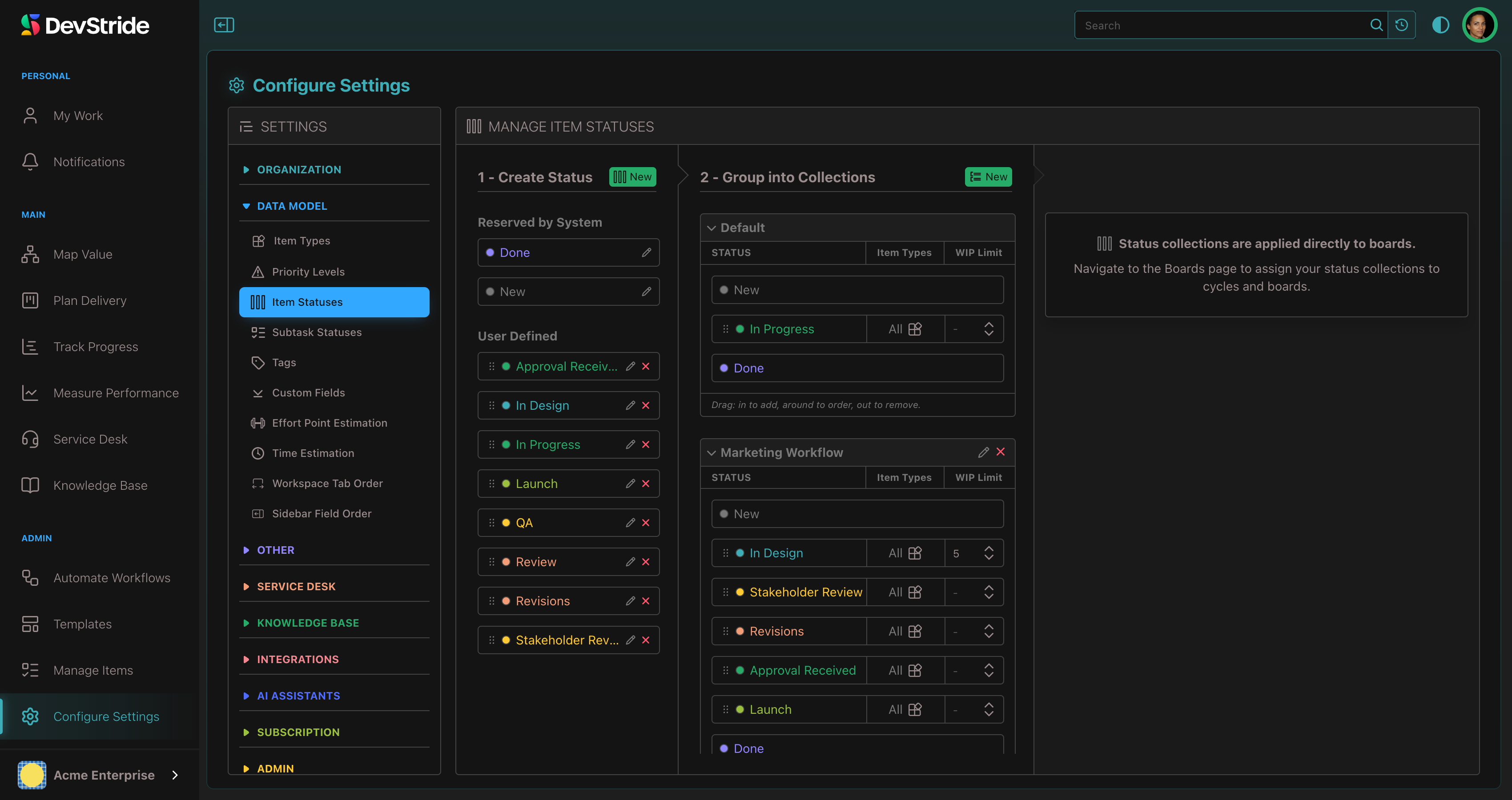
A status collection is an ordered set of statuses, with an optional WIP limit per status. Collections are assigned to boards, not to item types: every item on a board shares that board's columns, which is what makes the board readable. Different teams can run different collections.
| Team | Collection |
|---|---|
| Most teams | New → In Progress → Done |
| Engineering with review | New → In Progress → Review → Done |
| Marketing | New → In Design → Stakeholder Review → Revisions → Approval Received → Launch → Done |
Fewer statuses, better data
Each extra column is a hand-off people must remember to make. Start with the stages you will actually measure (where does work wait?) and add more only when a report needs them.
Boards and dates work for any methodology#
Kanban-style boards suit agile teams, but statuses are not only for agile. Date-driven teams get due dates, dependencies, and Gantt charts on the same items, so a waterfall project can run New → Design → Build → Test → Done on a board while its dates live on a Gantt.