
Pulling it all together: Planned Value to Delivery
The wrap-up of admin onboarding — a checklist of what you have configured, how the pieces connect from workstream to board to Gantt to report, and the habits that keep the model healthy.
On this page
Planned value to predictable delivery#
You have now configured both halves of DevStride's model. This page is the recap you can hand to the next administrator.
| What you set up | Where | What it gives you |
|---|---|---|
| Organization, users, teams, roles | Configure Settings → Organization; roles under Admin → Permissions | People to assign to, and access boundaries |
| Workstreams and item types | Map Value; Settings → Item Types | The what: a value hierarchy that reports roll up by |
| Custom fields, tags, forms, priorities, estimates | Settings → Data Model | The data each item carries |
| Status collections | Settings → Data Model → Item Statuses | Board columns and the vocabulary of "where is it?" |
| Folders, boards, cadences | Plan Delivery; Settings → Cadences | The who and when: team queues, perpetual or in cycles |
| Gantt charts | Track Progress | The timeline view with dependencies |
| Reports | Measure Performance | Progress, throughput, velocity, cycle time, churn |
How the pieces connect, in one pass#
-
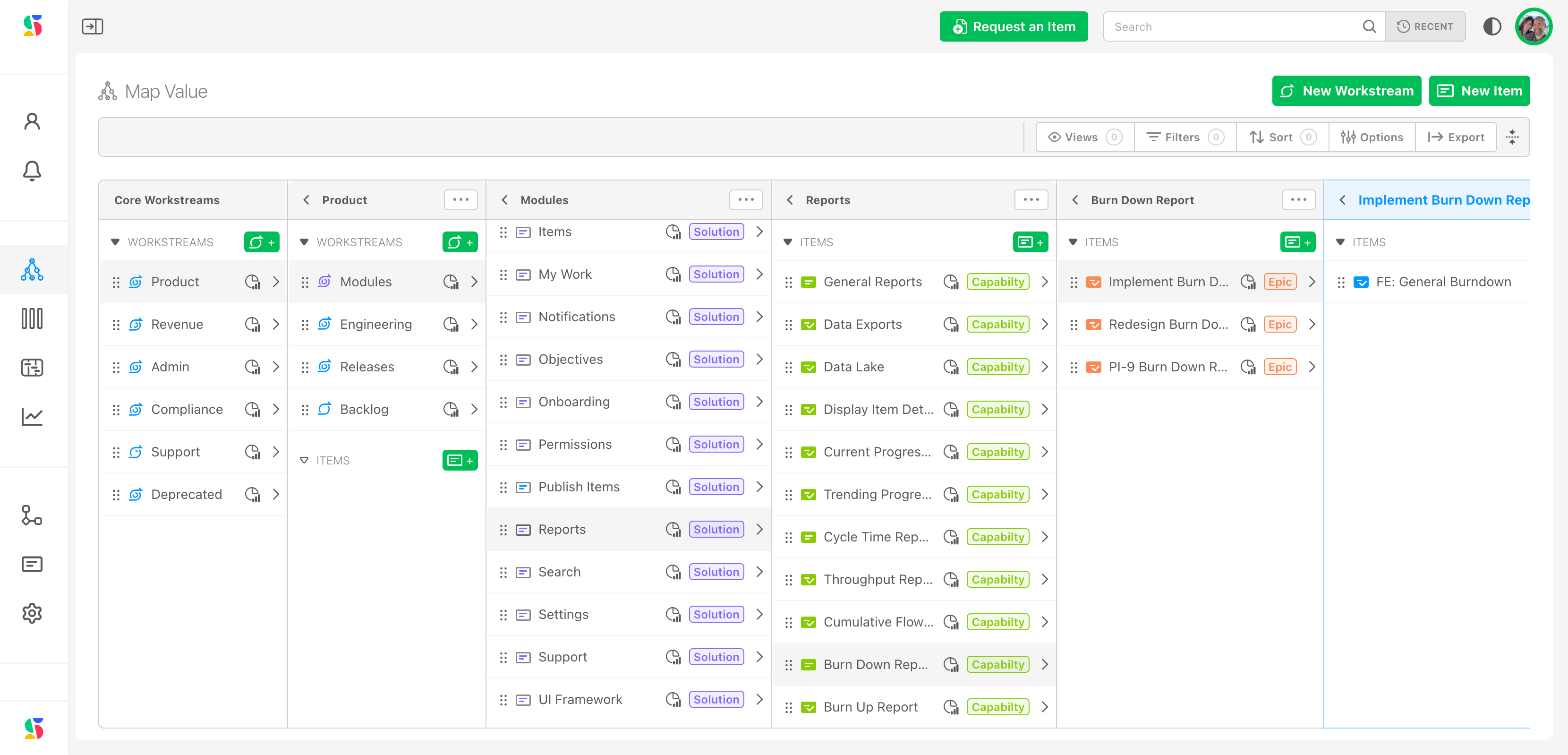
Define value in Map Value. A workstream is named for what it delivers ("Customer Portal"). Inside it, items follow your hierarchy: Epic → Story → Task. This is how a product owner or sponsor sees the work.
-
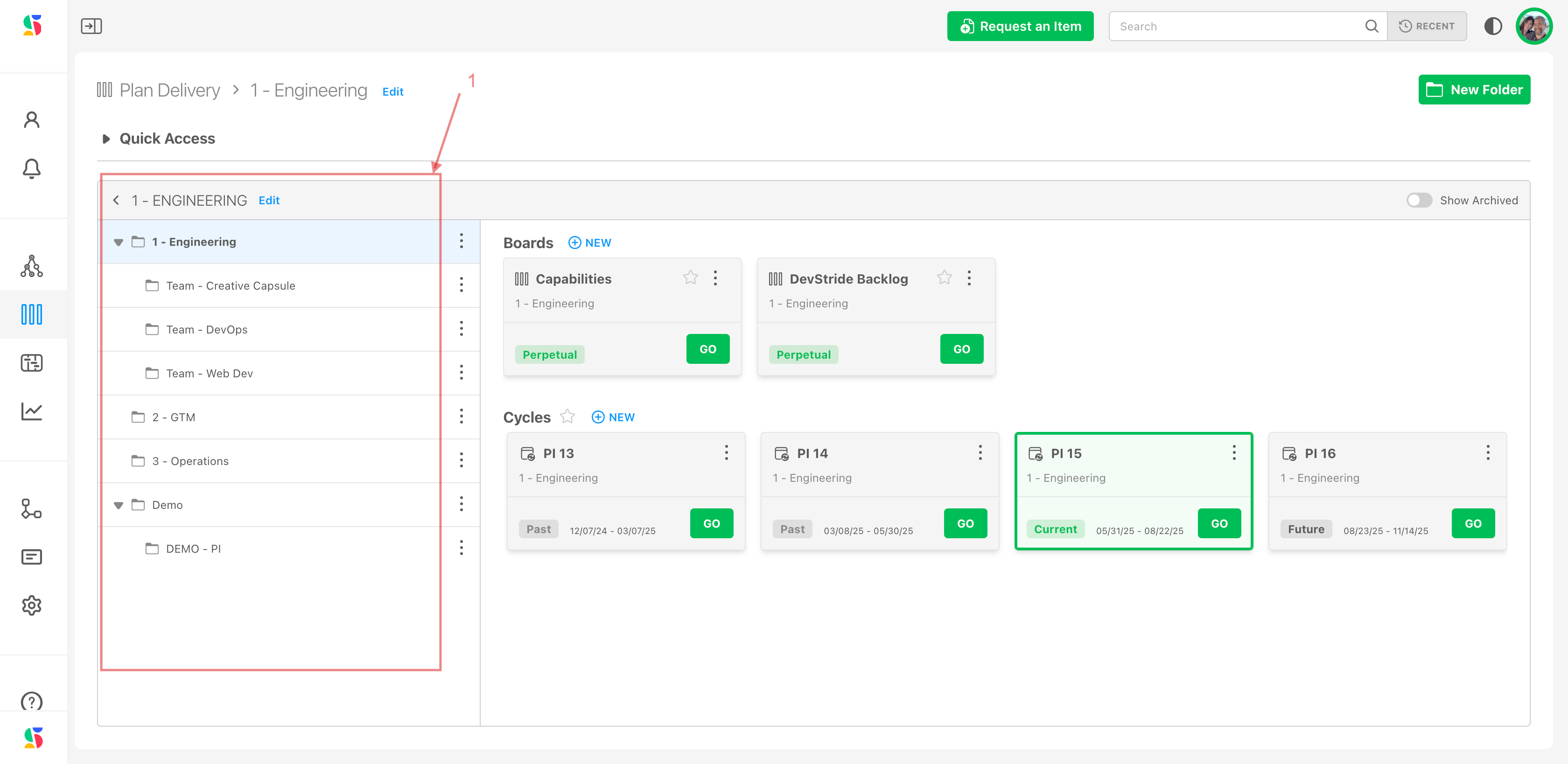
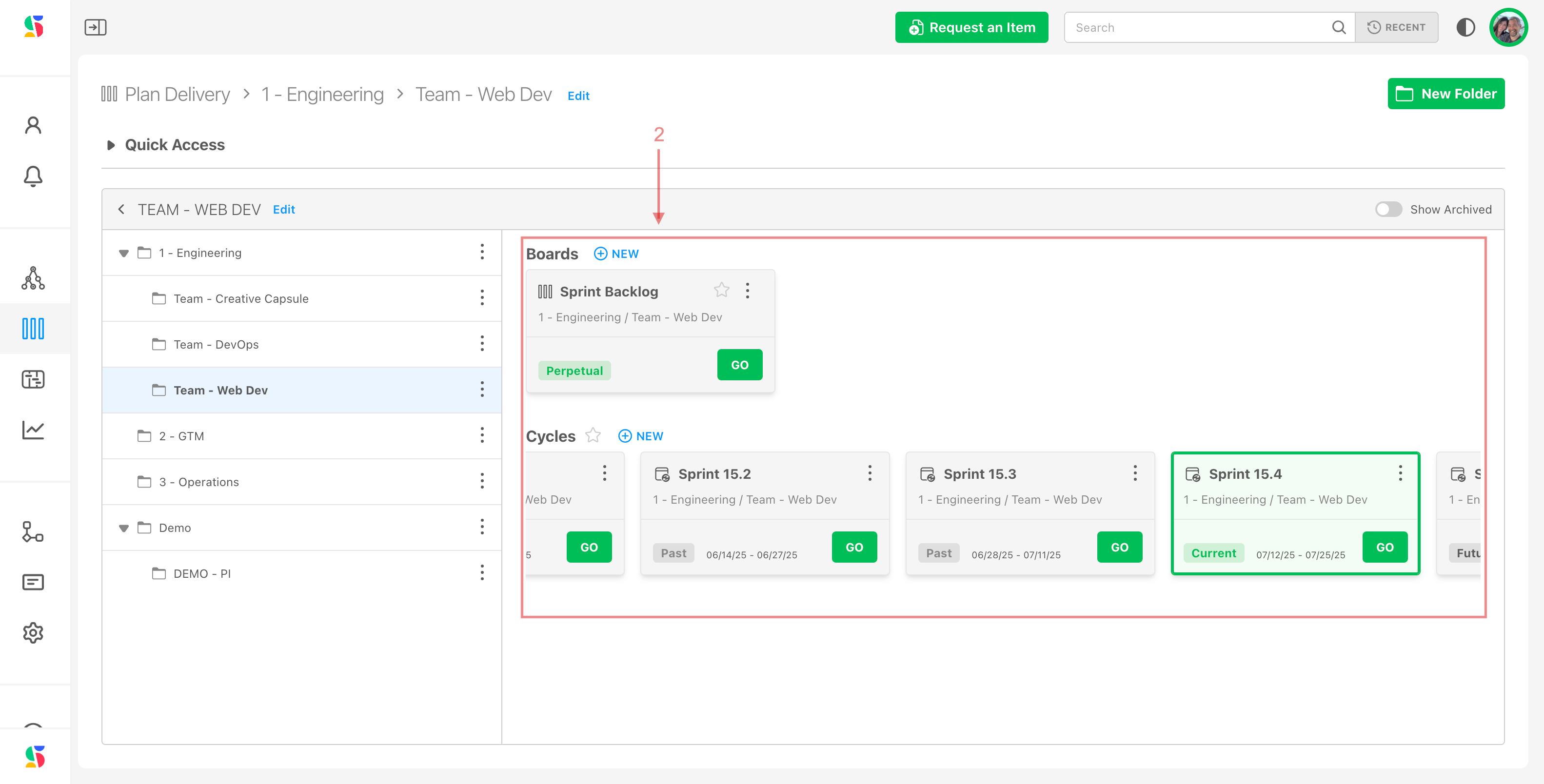
Define execution in Plan Delivery. Folders are named for working groups ("Platform Team", "Customer Ops"). Each holds perpetual boards for ongoing work and cycle boards, on a cadence, for committed work.
-
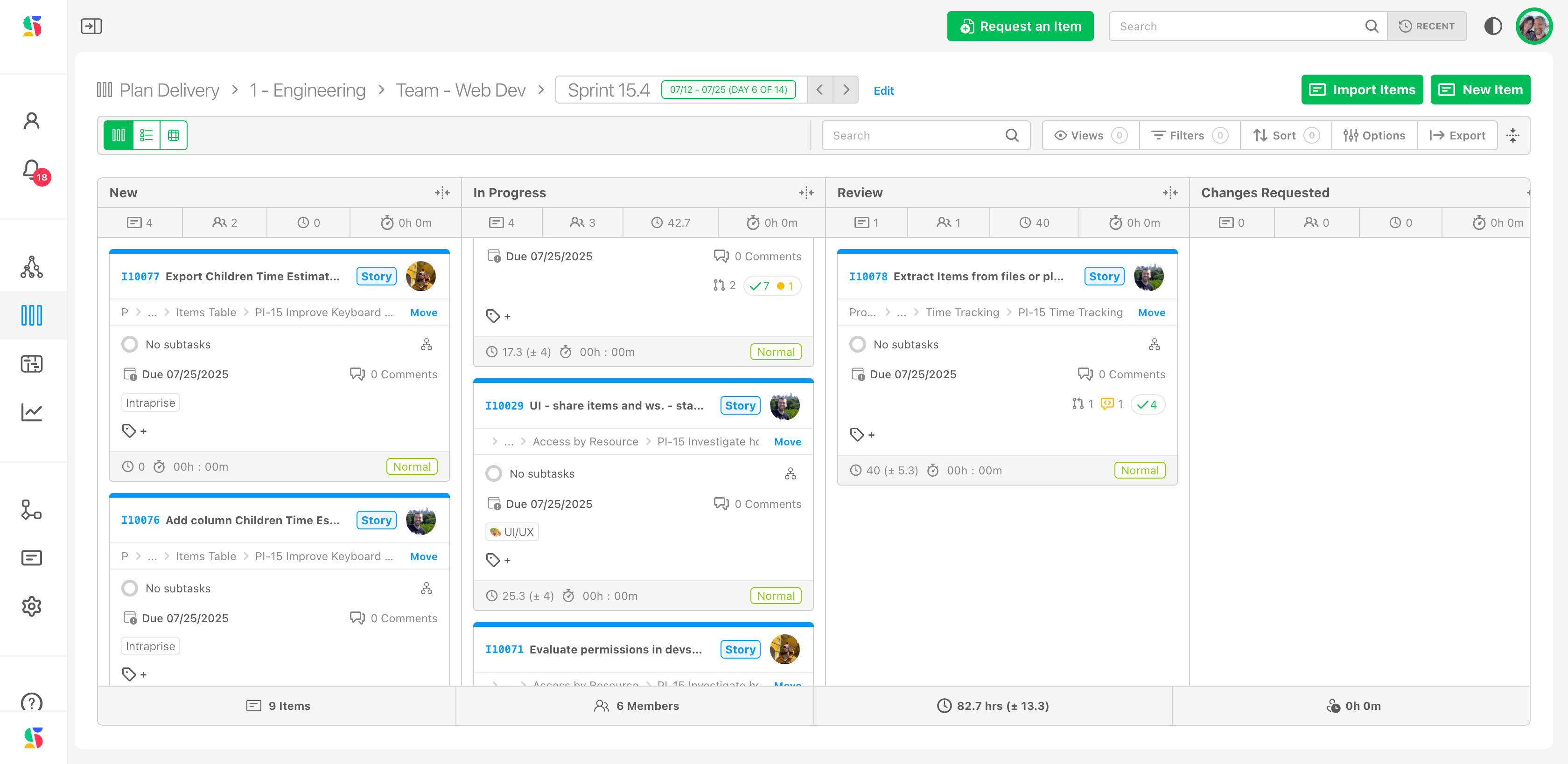
Place items on boards. Open an item and set its Board, or add existing items from the board. The item stays in its workstream; it now also sits in a team's queue. One Epic's Stories can be spread across several teams' boards and still roll up to the Epic.
-
Watch timing in Track Progress. A Gantt over an initiative shows dates, dependencies, and the critical path, and is where scenario conversations with stakeholders happen.
-
Learn from Measure Performance. Throughput, velocity, and cycle time per team; progress and churn per workstream. Over a few cycles this is what turns estimates into predictions.
Align items, don't duplicate them
An item exists once. If the same Story seems to belong on two boards, that is a sign it should be two child items under a common parent, one per team, not a copy. DevStride keeps the parent's progress right either way, but copies break reporting.
Habits that keep the model healthy#
- Workstreams by value, folders by team. The moment a workstream is named after a team, reporting by initiative stops working.
- Decompose to the level you estimate. Small estimated Tasks rolling up into sized Epics are what make the over/under warnings useful.
- Leave assignees on Done items. Clearing them erases who did the work from reports.
- Split, don't drag, unfinished sprint work. See Handling incomplete items from Sprint to Sprint.
- Automate the chores. Once the structure is stable, use Automations to tag, notify, and move items so people do not have to.
Where to go from here#
- Day-to-day work: the Workstreams and Work Items and Plan Delivery sections.
- Scenarios: Plan a Sprint, Conduct a Standup, Backlog Refinement.
- Connecting tools: Jira, GitHub, Slack, and the DevStride MCP server for AI assistants.